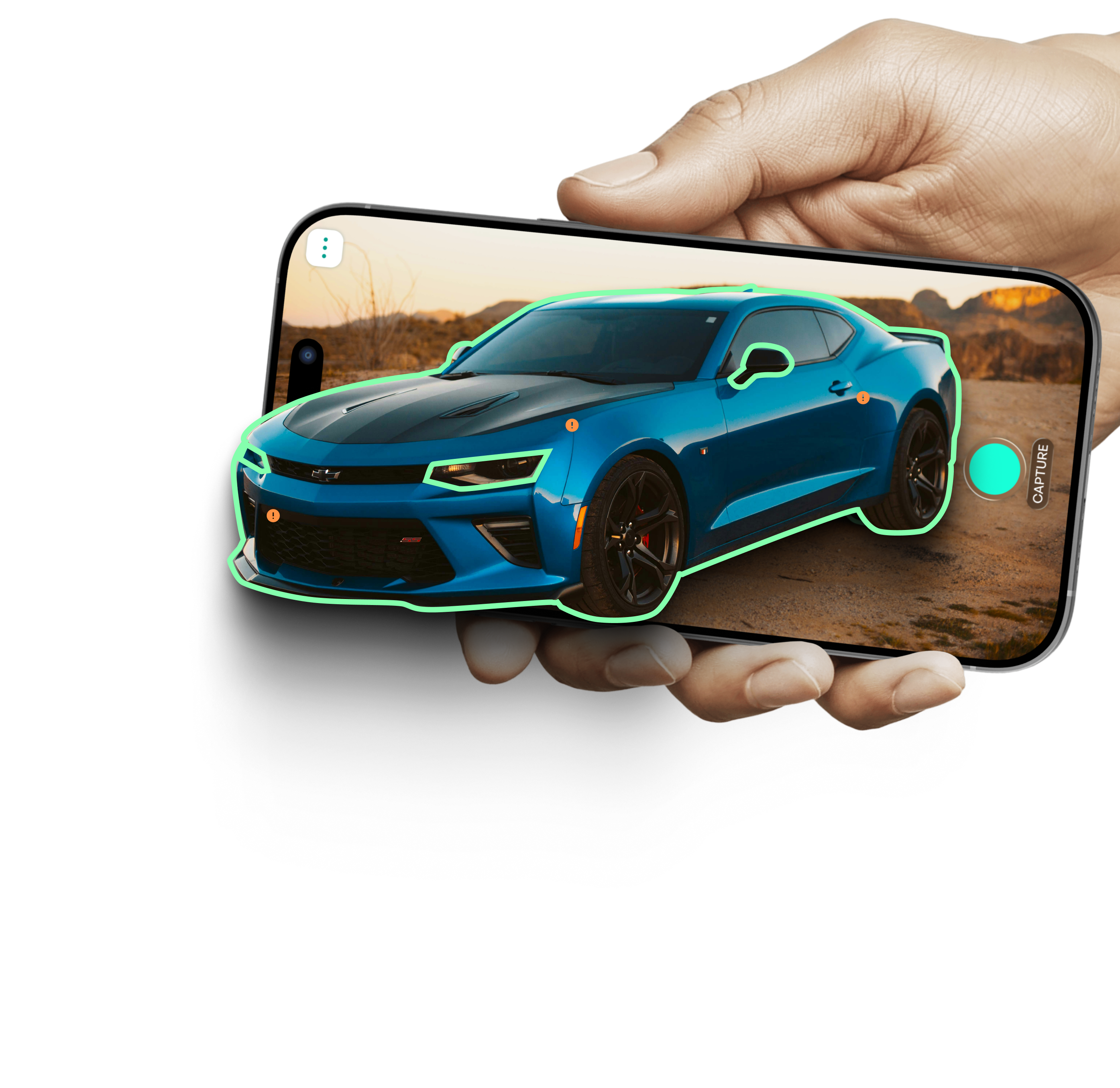
Prep & Capture
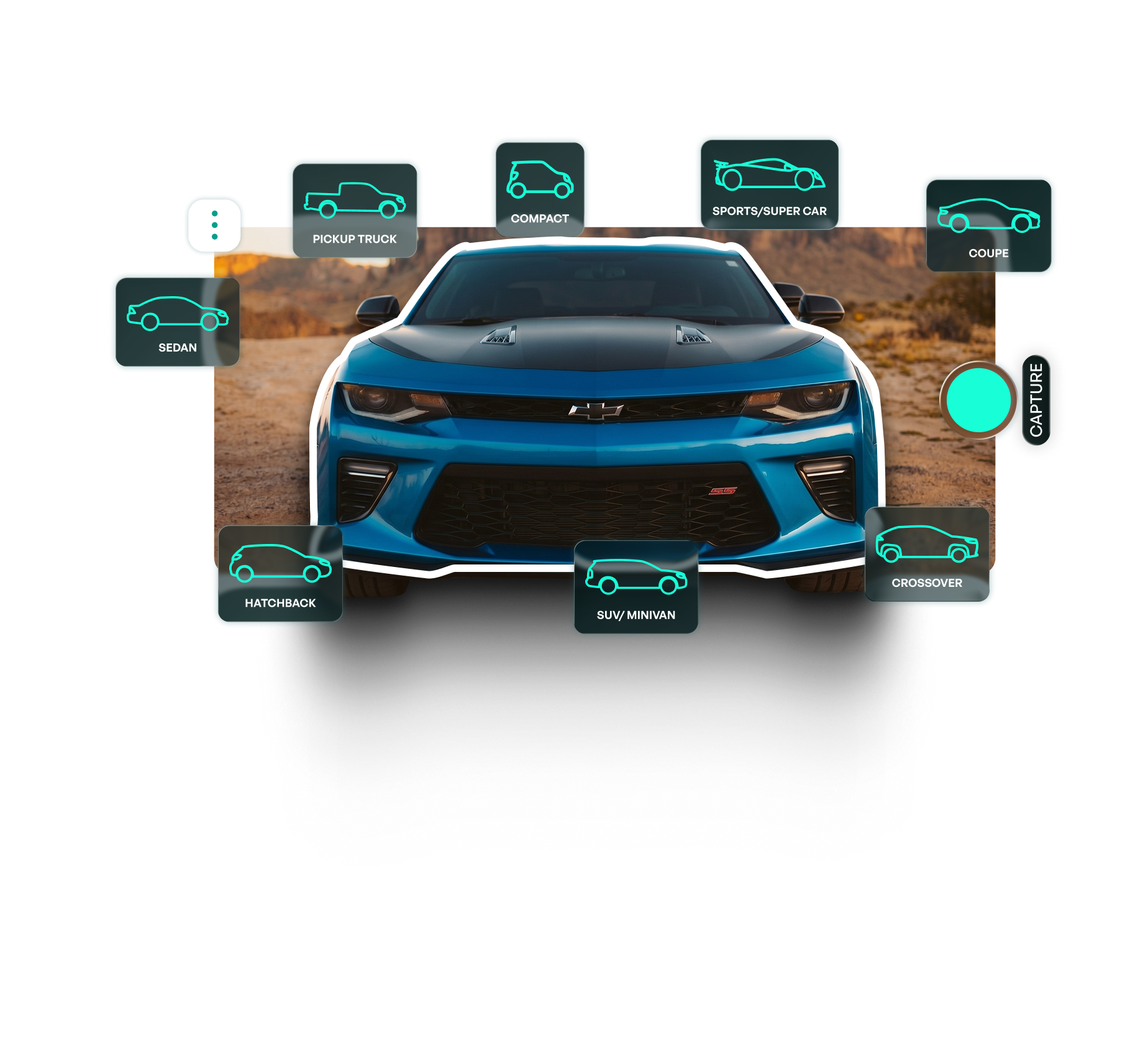
Select your vehicle's body type (Hatchback, SUV, Sedan, Coupe, etc.) and enter basic details like the Plate and VIN. Follow our on-screen guides to properly frame your car for the scan.

Perform guided 360° vehicle scans, automatically detect damages with AI, and generate comprehensive inspection reports in minutes—right from your smartphone.

Auto Inspect AI is a smart, intuitive app that transforms your smartphone into a professional vehicle inspection tool. It guides you through a seamless 360° vehicle scan and uses advanced AI to instantly detect, categorize, and document surface damages.
With a built-in interactive 360° viewer, you can easily review the AI's findings, edit or dispute damage severities, and generate highly accurate, shareable reports in minutes.
Select your vehicle's body type (Hatchback, SUV, Sedan, Coupe, etc.) and enter basic details like the Plate and VIN. Follow our on-screen guides to properly frame your car for the scan.
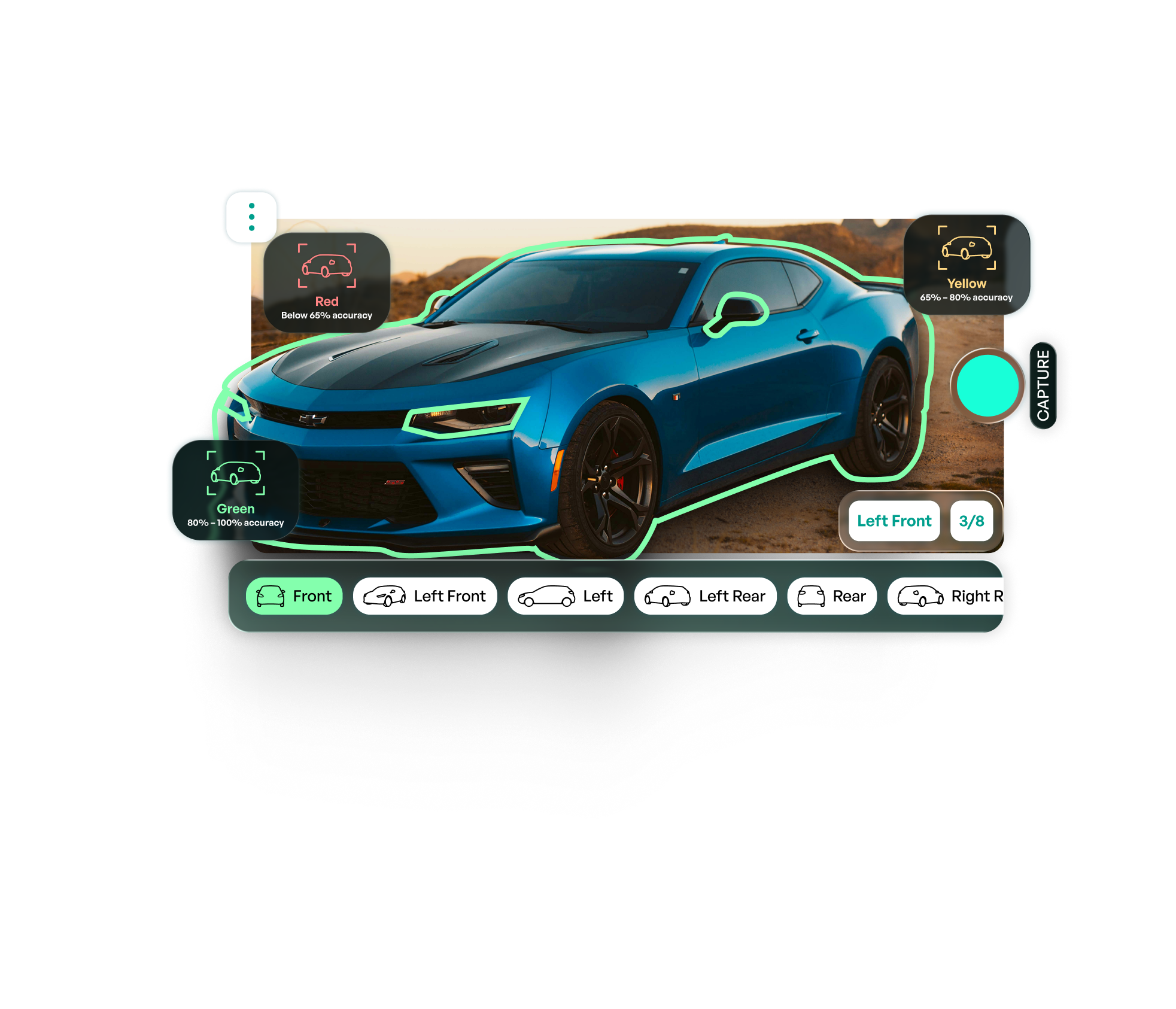
Walk around your vehicle using our intuitive 8-angle scanning path. The app provides real-time, color-coded feedback (Green, Yellow, Red) to ensure your distance and angles capture the highest quality data for the AI.
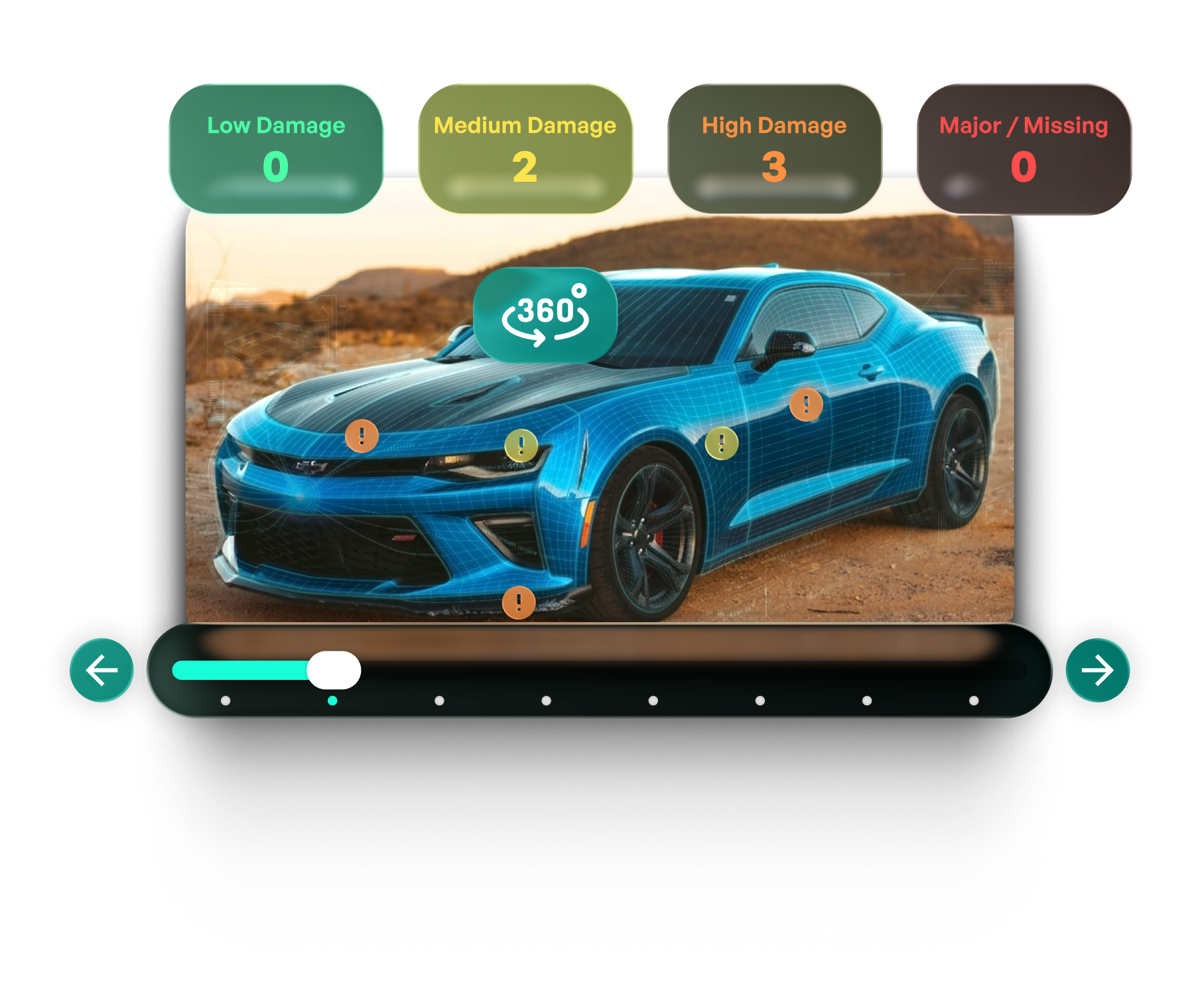
While you finish up, our AI is already at work. Receive an instant notification when your “AI Generated Report” is ready. Review the interactive 360° damage summary, adjust severities if needed, and export a professional record.
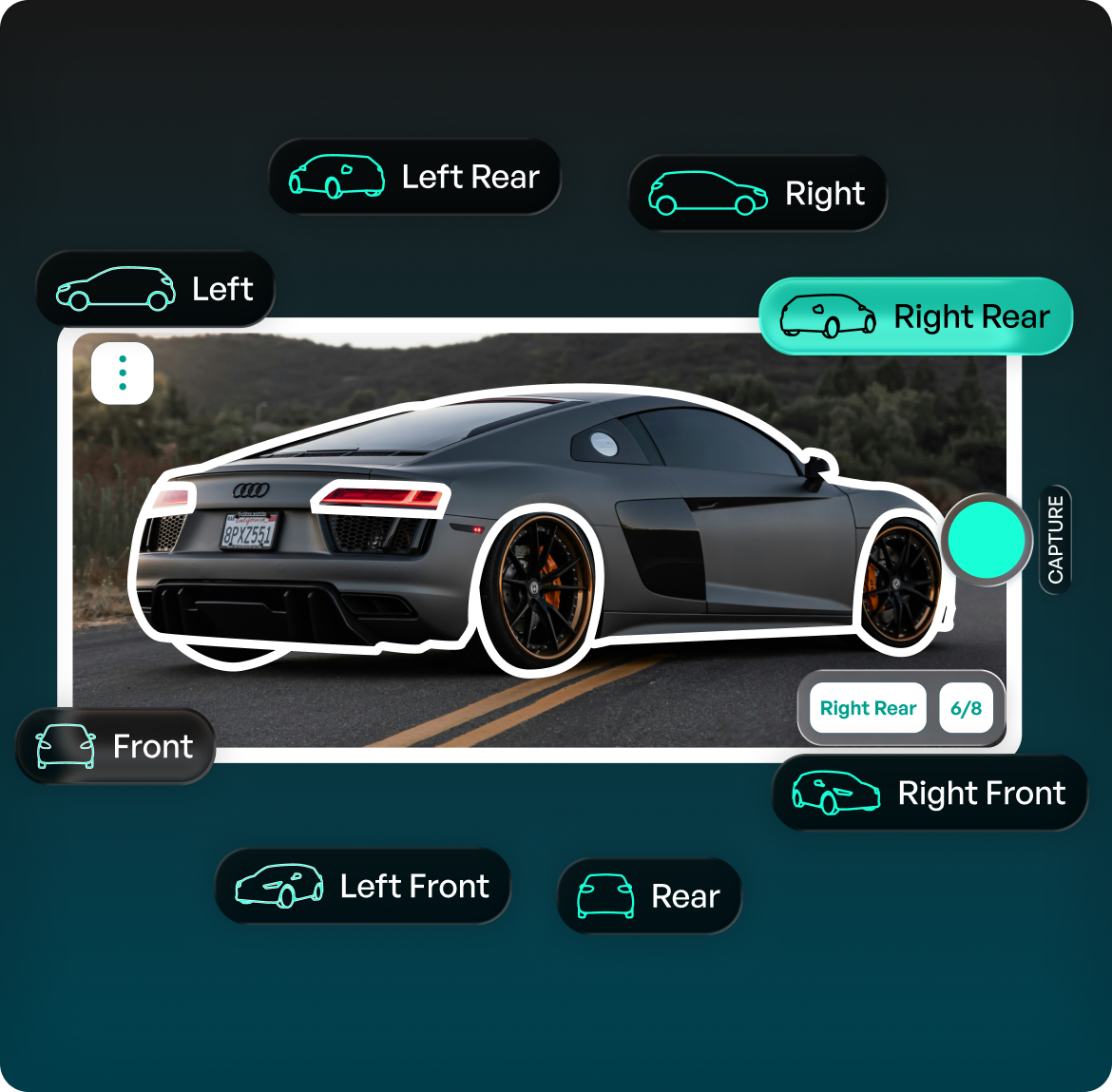
Follow simple on-screen outlines and real-time, color-coded indicators (Green, Yellow, Red) to capture a flawless 8-angle scan of your car.
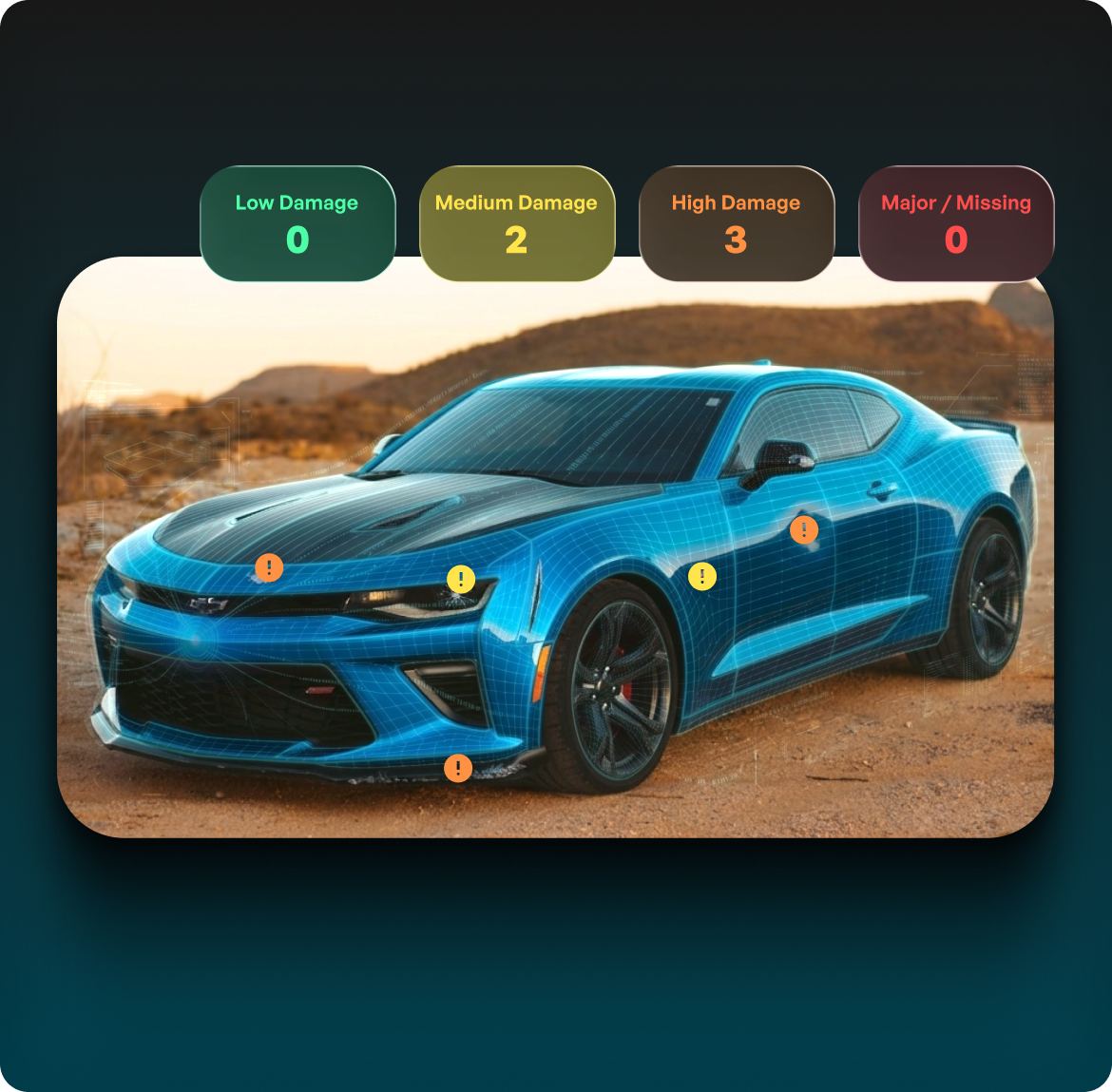
Our AI automatically identifies surface issues and categorizes them by severity—Low, Medium, High, and Major—saving you time and effort.
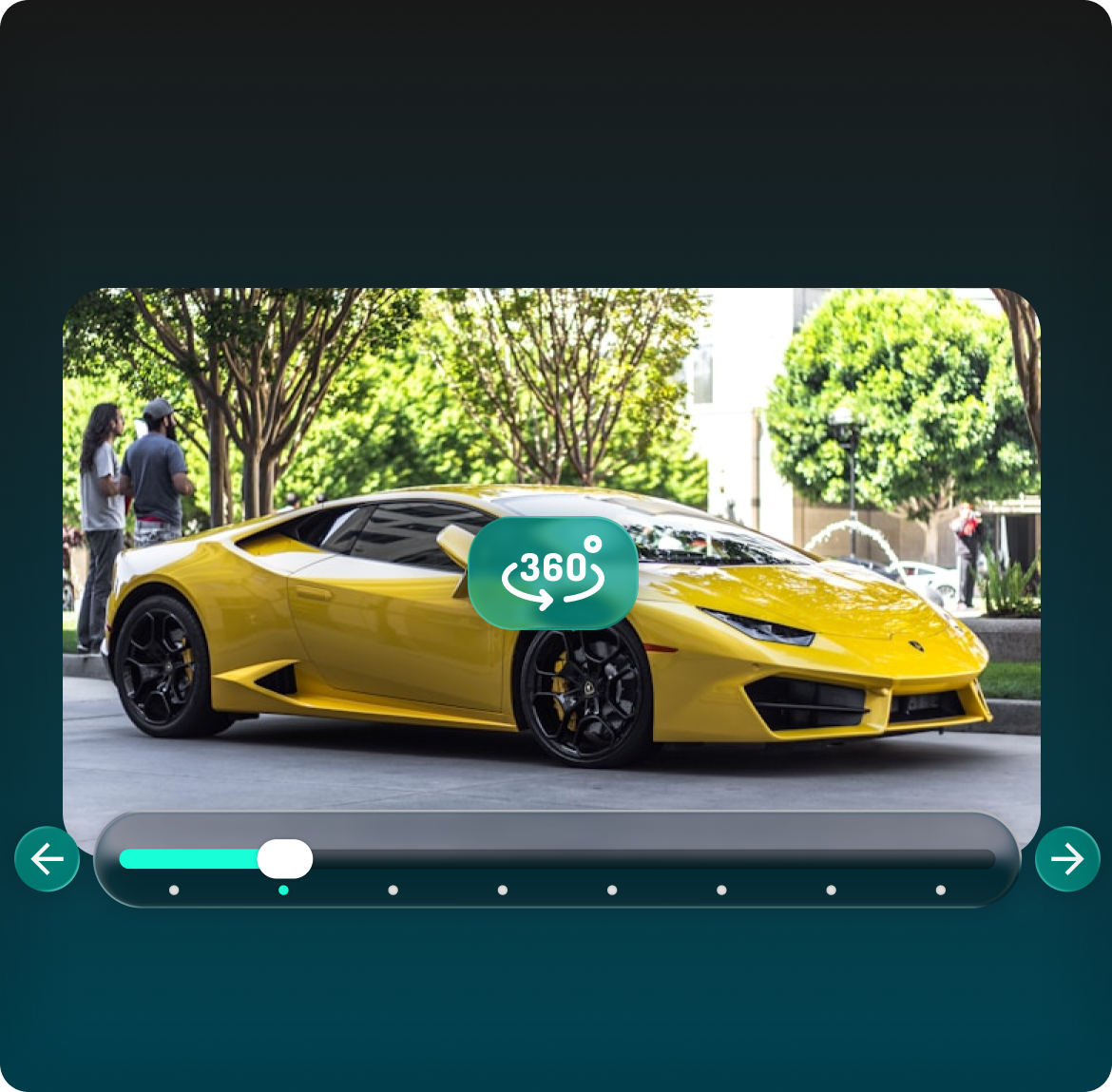
Explore your completed scan in a built-in 360° view. Effortlessly spin the vehicle to pinpoint exactly where damages are located.
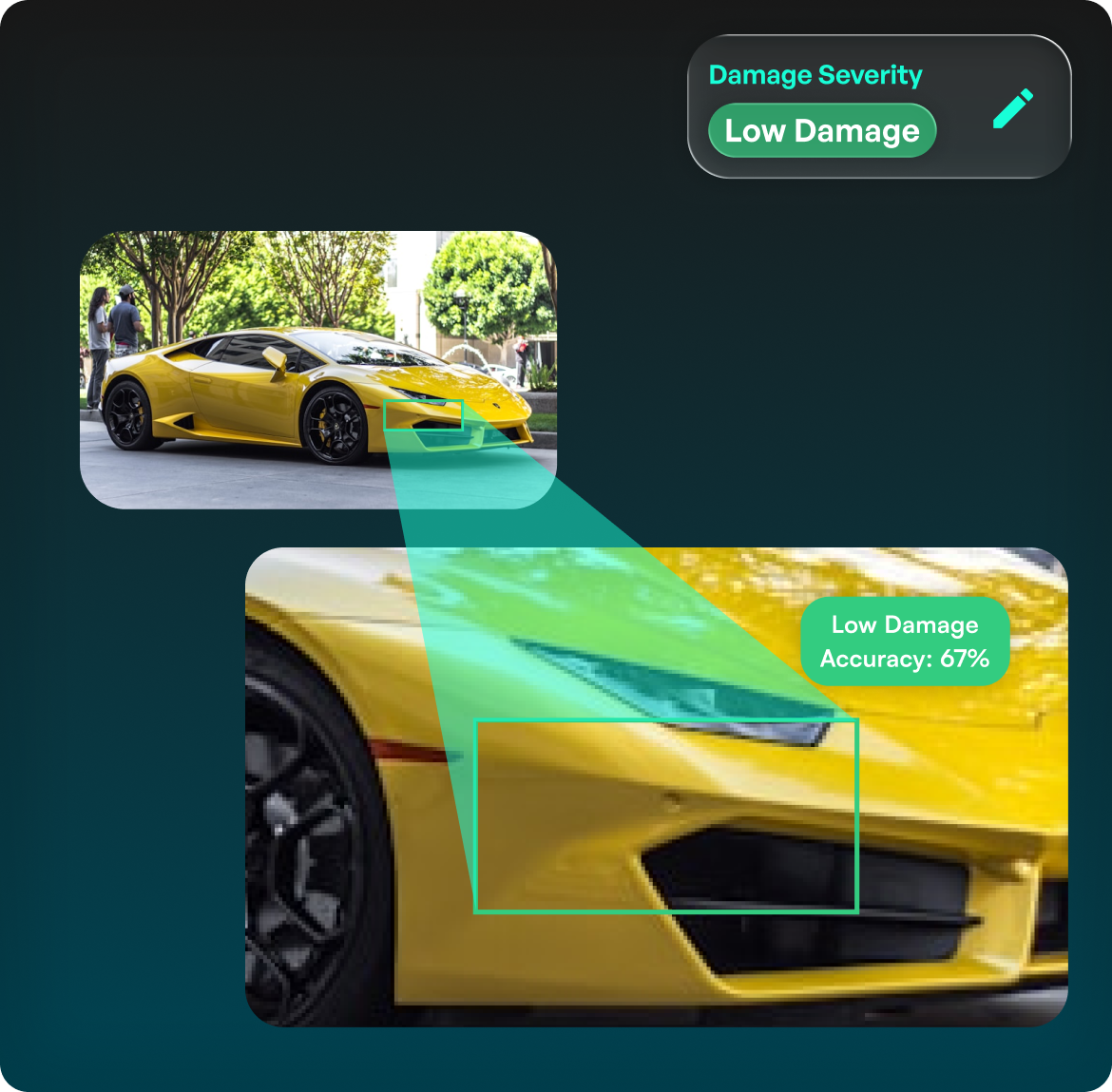
Tap any flagged area to view zoomed-in evidence, including the specific part affected (e.g., bumper) and the exact damage type (e.g., scratch, dent).
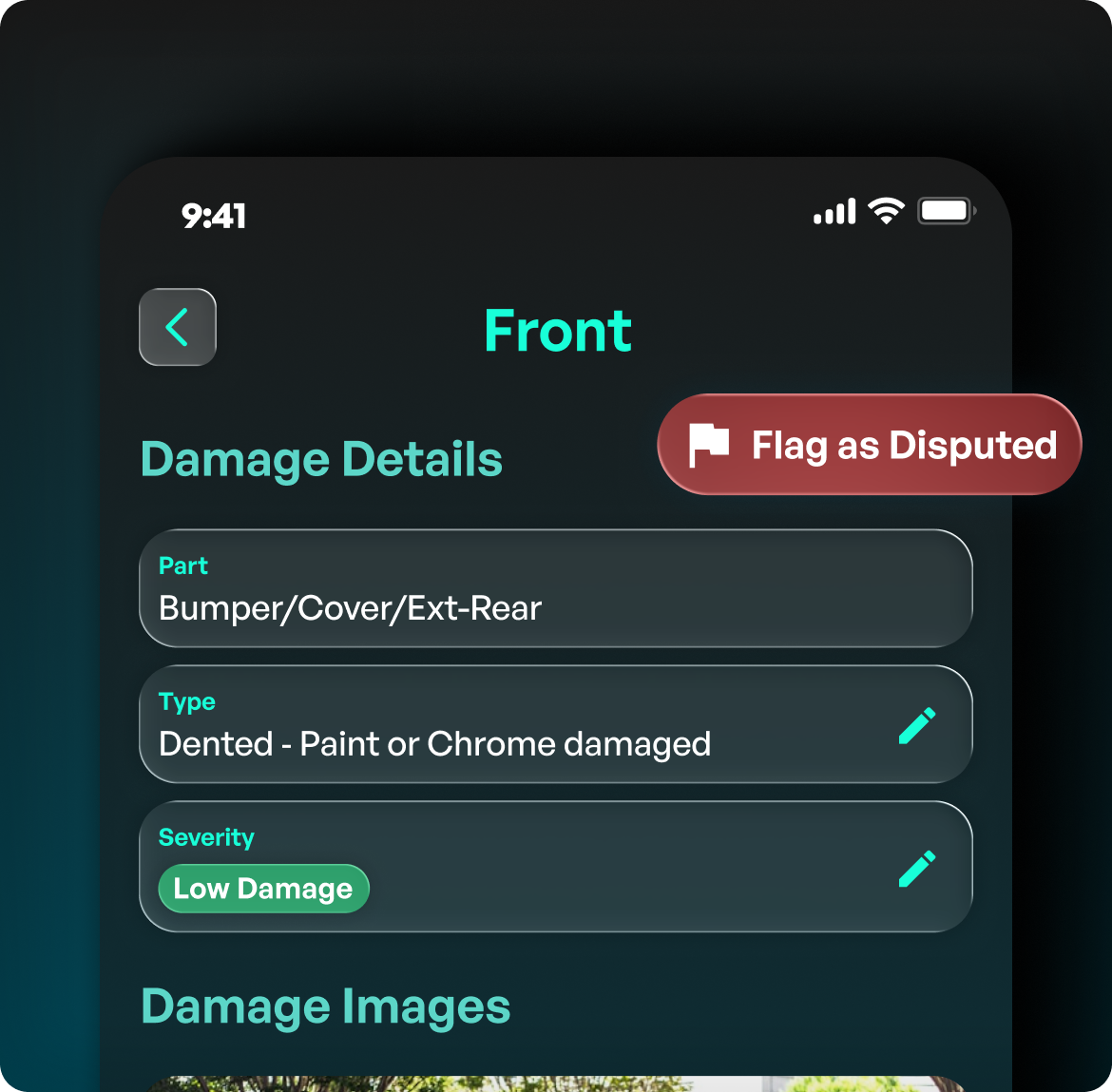
You always have the final say. Manually edit the damage type and severity, or use the “Flag as Disputed” button to correct any AI inaccuracies.
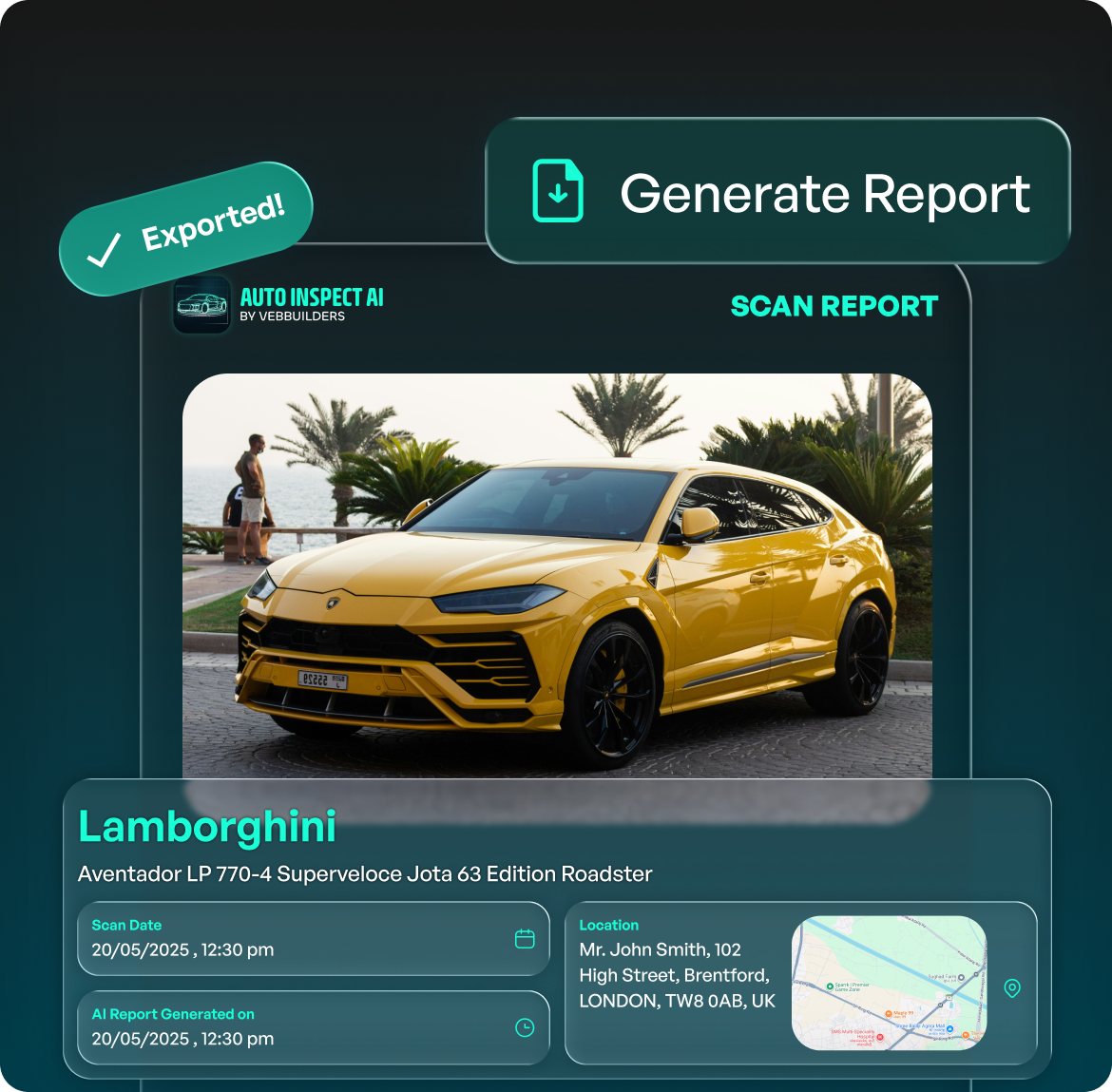
Keep your vehicle and scan logs perfectly organized, and export your finalized, highly accurate inspection reports in a single tap.
Auto Inspect AI is a smart vehicle scanning application that guides you through a 360° capture of your car. It uses advanced artificial intelligence to automatically detect, categorize, and document surface damages, generating a professional inspection report in minutes.
For optimal AI accuracy, park in a well-lit, open area with at least 2 meters (6 feet) of clearance around the car. Follow the on-screen 8-angle scanning guide, and keep an eye on the accuracy indicator—aim for the "Green" zone (80%–100%) for a flawless capture.
The app supports a wide variety of vehicle body types. Before starting a scan, you can select from categories including Hatchback, Sedan, SUV/Minivan, Pickup Truck, Coupe, Sports/Supercar, Crossover, and more.
Yes, you always have the final say. If the AI flags a reflection or a smudge as damage, you can select the "Flag as Disputed" button. You can also manually edit the specific damage type and severity level before finalizing the report.
The AI system analyzes the scan and tags damages with one of four severity levels: Low, Medium, High, and Major. It also pinpoints the specific vehicle part (e.g., Front Bumper, Left Door) and identifies the damage type, such as a scratch or a dent.
A strong and stable internet connection is highly recommended. While the camera helps you capture the angles locally, the app requires internet access to process the 360° scan through our AI engine and generate the final damage report.
Capture 360° scans and generate instant damage reports on the go.